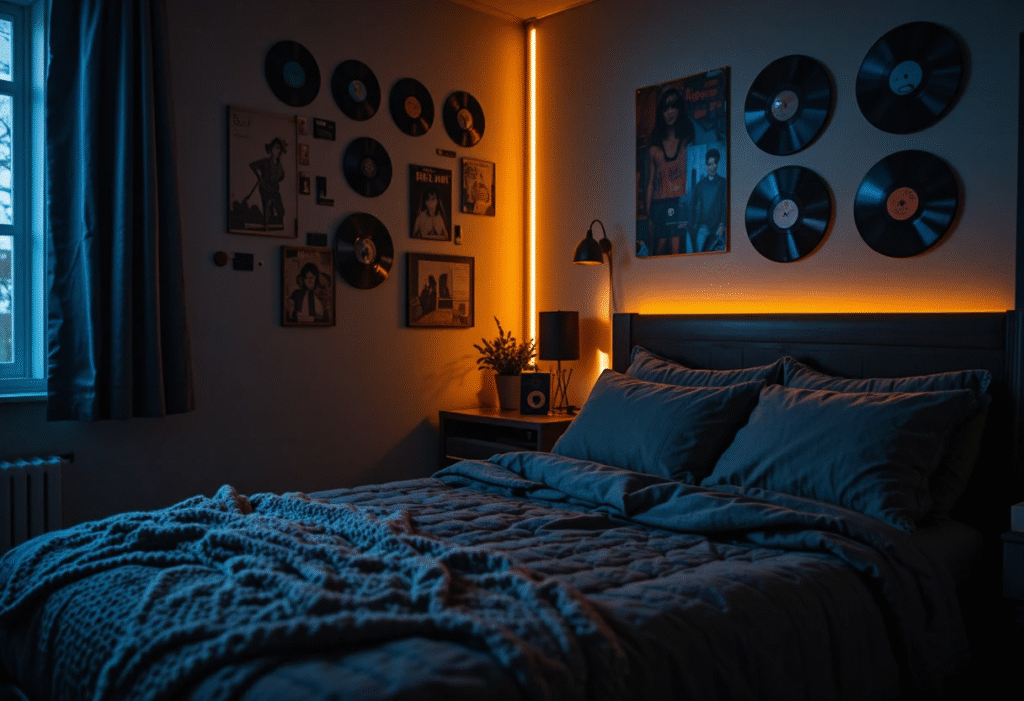
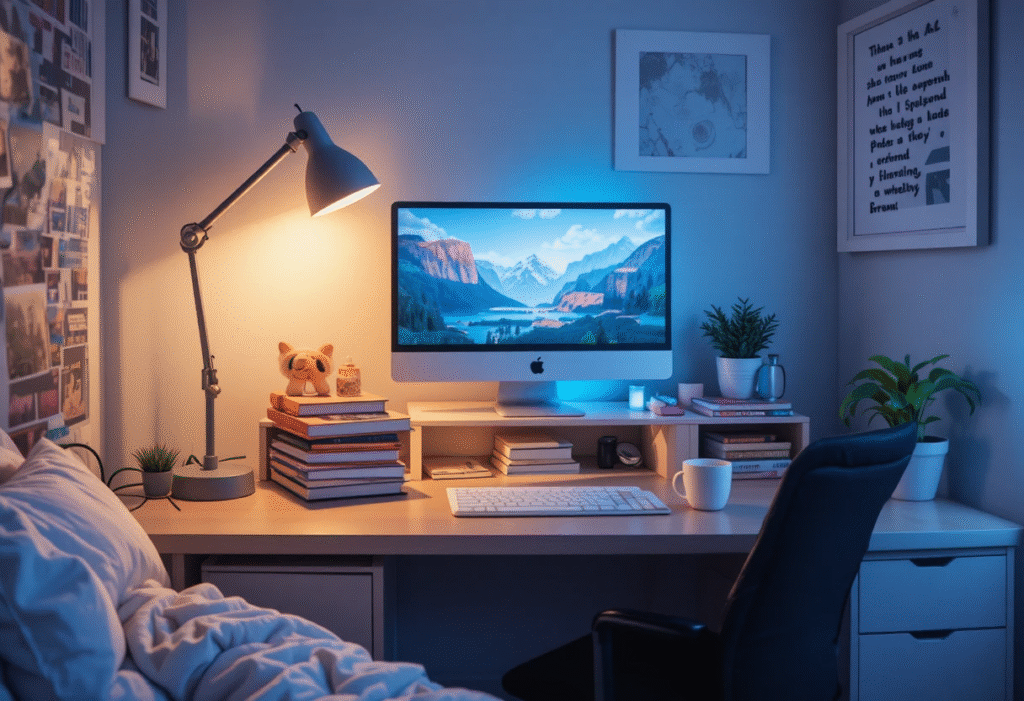
In the highly challenging, often chaotic, and space-restricted environment of a college dorm room, the desk is unequivocally your most vital and non-negotiable piece of real estate. It serves as the primary zone for academic focus, essential productivity, and, critically, academic survival. A well-designed Aesthetic Dorm Room Desk Setup must transcend mere superficial organization; it must be a meticulously planned, multi-functional workspace that actively reduces stress, optimizes complex workflow pathways, and perpetually inspires both creativity and sustained effort—all within a tiny, heavily restricted, and often shared footprint.
This definitive, 4500+ word mega-guide is your comprehensive, granular blueprint for transforming that standard, utilitarian, and usually uninspiring dorm plank into a stylish, highly ergonomic, and profoundly functional study hub. We will explore deep design philosophies, crucial ergonomic dorm desk hacks, essential layered lighting strategies, and clever cute dorm desk organization ideas to ensure your desk is the most effective, health-conscious, and aesthetically pleasing space in your entire room, maximizing every single cubic inch of the limited space allocated.
The Foundational Blueprint – Aesthetics and Advanced Ergonomics
The primary challenge inherent in any dorm desk is its non-adjustable, one-size-fits-all manufacturing. Before any form of decorating or styling can commence, the setup must meet two foundational and non-negotiable requirements: it must look intentionally styled (the aesthetic imperative) and, more importantly, it must physically support your body through sustained periods of intensive, hours-long studying (the paramount ergonomic necessity).
1. Defining the Aesthetic Base (The Visual Strategy and Materiality)
The desk’s final aesthetic must organically align with your personal style (e.g., minimalist, bohemian, industrial, Dark Academia, etc.) while simultaneously integrating seamlessly with the often-sterile, institutional constraints of the dorm environment. The key to elevating the space lies in the strategic introduction of high-quality, tactile materials.
The Overriding Importance of Materiality in Desk Aesthetics
The specific use of materials fundamentally dictates the perceived quality, textural richness, and emotional feel of the setup:
-
Wood/Bamboo: Integrate natural textures through materials like a thick bamboo monitor stand or small wooden drawer organizers. This introduces crucial warmth and a grounding, natural feel, aligning perfectly with Boho, Japandi, or Dark Academia themes.
-
Alternative Material: Cork offers a soft, natural, and sound-absorbing surface, ideal for custom pinboards or desk mats.
-
-
Acrylic/Clear Plastic: This material is perfect for minimalist dorm desk setup ideas. Acrylic organizing trays, clear pen holders, and transparent drawer dividers maintain visual clarity and significantly reduce perceived visual weight in the small space.
-
Benefit: Transparency helps prevent the eye from registering clutter, making the space feel more open.
-
-
Metal (Brass/Gold/Matte Black): Utilize metallic finishes on task lamps, pen holders, and picture frames for sophisticated, focused accents. The specific finish conveys the desired mood: Choose brushed brass or copper for a warm, vintage feel, or matte black for modern severity and clean lines.
-
Application: Use metal for structural items like lamp arms or monitor stands to convey durability.
-
-
Fabric/Felt: A soft wool felt desk mat or simple fabric storage baskets introduces crucial softness and texture, and critically, helps absorb and dampen the sharp sound of keyboard clicks and mouse movements, contributing to a quieter study environment.
-
Recommendation: High-density wool felt (3mm thick) provides the best balance of softness and durability for a desk mat.
-
The Critical Desk Mat Hack (Unifying the Surface and Providing Comfort)
A large desk mat (made from leather, felt, or high-quality cork, typically 36″ x 17″ or larger) is the single most vital decorative and functional element. It instantly unifies the setup by covering the often-laminated, worn dorm desk surface, provides a continuous, smooth, and warm writing surface, and clearly defines the primary work zone. Choosing a mat that anchors your chosen color palette is the first, most fundamental step toward establishing a cohesive and personalized aesthetic.
2. Advanced Ergonomic Dorm Desk Hacks (Optimizing Posture for Longevity)
Dorm desks are notoriously standard-sized and non-adjustable. These hacks use measured, strategic accessories to customize the desk to your precise body measurements, which is crucial for preventing long-term musculoskeletal strain during prolonged study periods.
-
The 90-Degree Rule Measurement: Your elbows, hips, and knees should all be bent at, or slightly greater than, approximately 90-degree angles when seated. This posture minimizes stress on joints.
-
Practical Check: Ensure your feet are flat on the floor and your thighs are parallel to the ground.
-
-
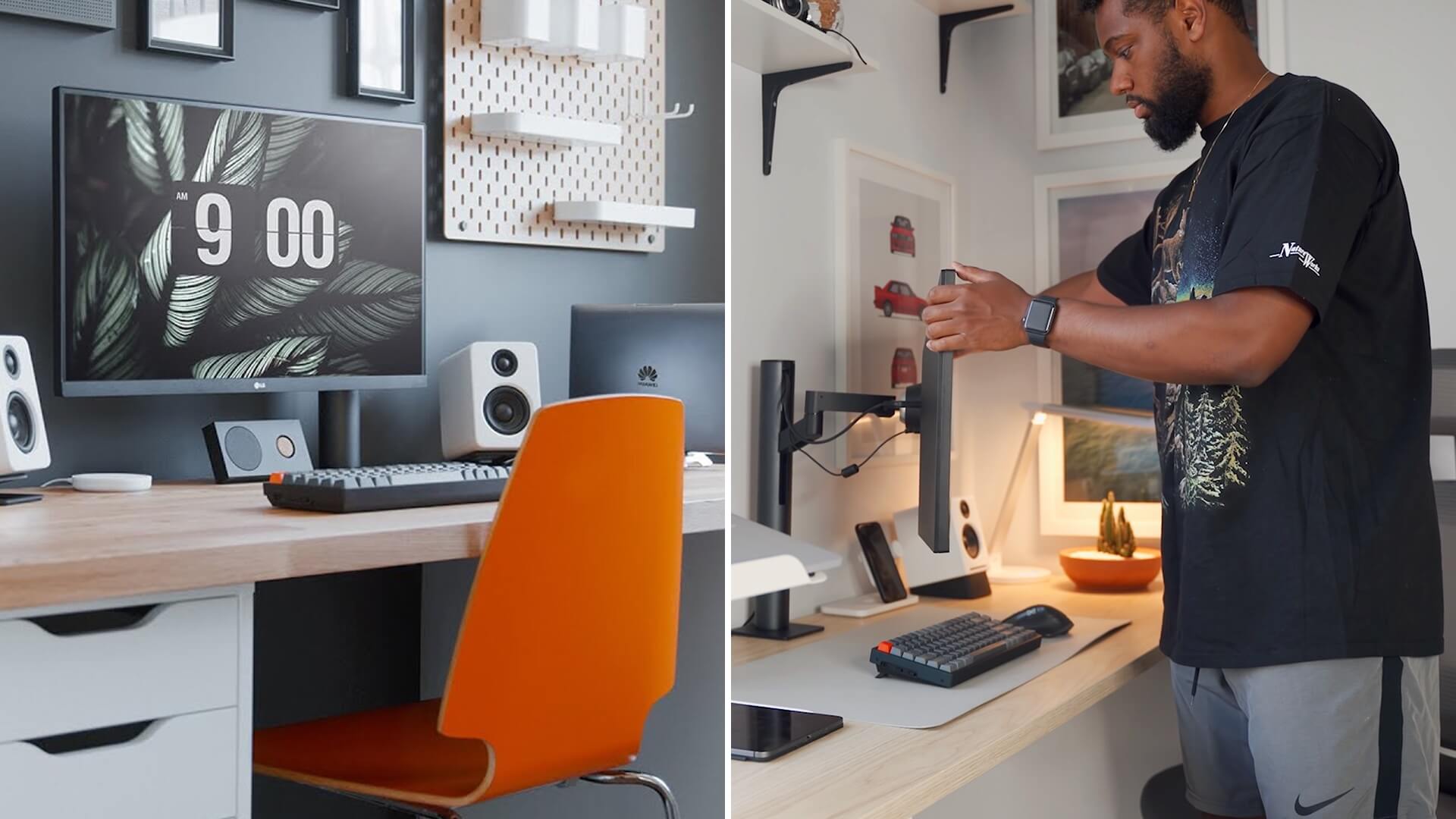
Monitor/Laptop Elevation (The Eye-Level Imperative): The top edge of your screen must be at or slightly below horizontal eye level. Use a sturdy, non-slip monitor stand or laptop riser (ideally adjustable between 4 and 8 inches in height) to achieve this precise level. This adjustment is the most effective defense against “tech neck,” cervical strain, and upper back discomfort.
-
Distance Check: The screen should be positioned approximately an arm’s length away (18 to 30 inches) to reduce eye strain.
-
-
Keyboard and Mouse Position: Your forearms must be parallel to the floor, and your wrists must remain in a neutral, straight position (not bent up, down, or sideways). If the desk height forces your arms upwards, utilize an adjustable under-desk keyboard tray (if allowed by the dorm) or use thick, dense, and supportive wrist rests made of gel or memory foam.
-
Mouse Hack: Use a vertical or ergonomic mouse to maintain a neutral handshake wrist position, minimizing carpal tunnel risk.
-
-
The Crucial Seat Modification (The Back Saver): Since you cannot replace the standard chair, you must modify its structure. Invest in a high-quality adjustable lumbar cushion with straps and a dense, high-rebound seat cushion made of memory or orthopedic foam.. This essential modification ensures the chair supports the natural S-curve of the lumbar spine during extensive 4-6 hour study sessions.
-
Foot Rest Integration (Circulation and Alignment): If your feet do not rest naturally and fully flat on the floor, you need a footrest. Use a dedicated, adjustable ergonomic footrest, or improvise with a sturdy box or a stack of heavy, stable textbooks. This maintains correct hip alignment, reduces pressure under the thighs, and significantly improves lower-body circulation.
Organization and Storage – Cute, Vertical, and Concealed Efficiency
In the exceptionally small, high-demand environment of a dorm, every single inch of vertical space must be exploited. Storage must be intentional, aesthetically pleasing, and highly integrated. The primary organizational objective is to successfully move all passive items (supplies, chargers, excess paper) off the primary desktop surface.
3. Cute Dorm Desk Organization Ideas (Layered and Themed Storage)
The visual success of the setup depends on transforming basic storage components into beautiful, theme-aligned accessories.
Vertical and Layered Storage Solutions
-
The Monitor Stand with Hidden Storage: Select a monitor stand that features built-in drawers or fully closed shelves underneath. This elevates the screen and creates critical, concealed storage for stationery, messy notes, flash drives, and charging cables.
-
Layered Trays and Cubbies: Utilize tiered metal or acrylic trays (in colors like gold, blush, or matte black) to organize paper, notebooks, and folders vertically. Use small, decorative storage boxes (velvet, patterned cardboard, or stained wood) to conceal unsightly essentials like tape dispensers, staplers, and bulk pens.
-
The Pegboard/Grid Wall System (The Flexible Wall Hack): Install a large, decorative pegboard or a wire grid wall (using only Command strips!) directly above the desk. This creates flexible, visually interesting, and easily customizable vertical storage for pens, headphones, keys, and reminders, ensuring the primary desktop remains completely clear for active work.
4. Cable Management and Power Control (The Essential Aesthetic Savior)
Nothing is more destructive to an Aesthetic Dorm Room Desk Setup than a tangled “spaghetti monster” of visible wires. This aspect must be managed rigorously, transforming wire chaos into functional order.
-
The Under-Desk Tray Solution: Install a large, sturdy cable management tray or basket using strong adhesive pads beneath the desk’s back edge. Route all power strips, adapter bricks, and excess cable lengths into this tray, successfully removing them from sight and the floor.
-
Cord Clips and Ties: Use small adhesive cord clips (in clear or black) to run charging cables cleanly and discreetly along the back edge of the desk. Invest in reusable Velcro cable ties to bundle thick computer cords neatly behind the tower or monitor, preventing tangles and making cleaning easier.
-
Integrated Charging Hub: Designate one small area (e.g., inside a decorative, lidded box, or a multi-port charging station) as the central charging hub for your phone, watch, and earbuds. This controls the charging chaos, protects devices, and conserves valuable wall outlets.
-
Advanced Power Management: Always use a high-quality surge protector with a high joule rating (2000+ joules). This is a crucial, non-aesthetic investment, as dorm power grids can be highly unreliable and spike-prone.
Lighting and Ambiance – Setting the Focus Zone and Mood
Proper, layered lighting is paramount for mitigating eye strain during late-night study sessions and simultaneously defining the entire aesthetic mood of the workspace. Lighting should be controlled, warm, and highly functional.
5. Best Lighting for Dorm Room Desk (Task, Ambient, and Accent)
Lighting must be layered, never relying solely on the harsh, shadowing, and institutionally cold overhead dorm light. Use bulbs with a warm tone (2700K to 3000K).
Task Lighting for Focus and Visual Health
-
Adjustable Desk Lamp: This is the most essential purchase. Choose an adjustable LED desk lamp with multiple brightness levels (dimming function) and, ideally, adjustable color temperature (switchable between cool white for intense focus and warm white for relaxed reading).
-
Positioning: Place the lamp opposite your dominant hand (e.g., if right-handed, place the lamp on the left side) to eliminate casting self-shadows over your active work surface.
-
The Monitor Light Bar: A slim LED light bar that clips directly onto the top of your monitor provides focused light onto the desk surface without causing any screen glare. This is a highly ergonomic, modern, and space-saving solution.
Ambiance and Mood Lighting
-
Diffused Ambient Light: If space permits, a floor lamp with a diffused linen or paper shade positioned behind or beside the desk adds soft ambient light without creating direct glare.
-
Fairy Lights/LED Strips: String small warm-toned fairy lights around the edges of the desk hutch or shelving unit. This creates a soft, inviting glow, perfect for low-light ambiance and relaxation, effectively differentiating your personal space from the generic institutional lighting.
-
The Vertical Light Hack: Use a tall, minimalist floor lamp near the desk that shines light upward. This bounces soft light off the ceiling, creating an overall brighter, yet diffused, ambient light in the room.

6. Psychological Hacks: Color, Sound, and Olfactory Cues
Your desk setup should strategically engage all senses to promote long-term focus, actively reduce mental fatigue, and support sustained creative thinking.
-
Color Psychology: Use calming, muted colors (soft greens, blues, or creams) in your desk mat, storage containers, and decor. Research shows these specific colors promote concentration and reduce stress. Strictly avoid highly saturated, aggressive reds and yellows in the immediate visual field.
-
Sound Discipline: Keep noise-canceling headphones visible and fully charged. Consider adding a small, discreet white noise machine or fan for a consistent background sound to effectively block out unpredictable ambient distractions from the dorm environment.
-
Olfactory Cues (Scent for Focus): Introduce a subtle, clean scent associated with focus, such as peppermint, rosemary, or citrus. Use a small, safe, electric essential oil diffuser or a simple, unscented candle next to your desk to create a subtle, personalized olfactory workspace that promotes alertness.
Personalization and Budget-Friendly Dorm Desk Decor
The final, essential step is infusing the desk with personal style, utilizing affordable, highly symbolic items that inspire creativity and drive academic productivity, making the space uniquely yours.
7. Curated Inspiration and Personal Touch
Display items that reflect your academic goals, personal hobbies, and identity without descending into visual clutter.
-
Vision Board/Quote Art: Install a small framed print of an inspiring quote, a minimalist piece of abstract art, or a small bulletin board for pinning photos and affirmations directly above the desk. Use a consistent frame style (e.g., matte black or gold) to unify the display.
-
Scholarly Accessories (The Symbolic Touch): Integrate small, symbolic artifacts based on your style: a brass magnifying glass, a small globe, a vintage film camera, or a geometric paperweight. These items should be functional or highly symbolic of your intellectual pursuits.
-
Book Display: Use the books you are currently reading as aesthetic accents. Stack them horizontally on the desk mat with a small piece of dorm desk decor (like a succulent or a ceramic bowl) resting on top.
8. Budget-Friendly Dorm Desk Decor Sourcing and DIY Hacks
Creating an expensive, high-end look is possible without a large budget; it requires smart sourcing and creative transformation of inexpensive materials.
-
Thrift Store Finds: Search specifically for heavy, unique bookends, vintage desk organizers, and brass accessories at thrift stores. A small sanding and coat of paint can easily transform a plain wooden pencil holder or a plastic tray into an authentic-looking piece.
-
DIY Material Transformation: Purchase inexpensive plastic or ceramic containers and use matte spray paint (e.g., matte black, antique gold, or soft blush) to customize them into high-end looking organizers. Use marble contact paper to upgrade the look of plain acrylic drawers or stands.
-
Printable Art: Download inexpensive high-resolution art prints from online sources (often free from museum libraries) and print them at a local store. Frame them in cheap frames (which can also be spray-painted) for instant, customized, and unique wall decor.
Maintenance, Workflow, and Long-Term Productivity
A beautiful desk is only effective if its setup actively supports efficient workflow, minimizes friction, and allows for easy cleanup. This final section transforms the aesthetic space into a productive powerhouse.
9. Workflow Zones and Organization (The Task Management System)
-
Zone 1: Active Work (Center/Front): This is the high-traffic zone dedicated to your laptop, main keyboard, and a temporary writing pad. This area should be kept completely clear of anything not absolutely essential for the current task.
-
Zone 2: Input/Output (Dominant Side): Designated for the items you frequently access: pencil holder, sticky notes, phone charging hub, and a clear in-box/out-box tray system for active, immediate assignments.
-
Zone 3: Reference/Aesthetic (Non-Dominant Side/Back): Reserved for items that inspire and support: the plant, the monitor stand, the stack of current textbooks, and decorative accents.
10. Digital Organization: Mirroring the Aesthetic
The aesthetic discipline of the physical desk must be mirrored digitally to maintain cognitive flow and reduce digital clutter.
-
Digital Wallpaper: Use a soothing, minimalist wallpaper or background image that precisely matches the colors and theme of your physical desk setup (e.g., a dark landscape for Dark Academia, a plain cream background for Minimalist).
-
Desktop Icon Discipline: Use software or system settings to hide desktop icons entirely, or strictly limit them to one small, designated corner. Keep files meticulously organized into clean, labeled folders. Digital clutter is a known contributor to visual and cognitive stress.
11. The 5-Minute Reset Ritual (Maintaining the Aesthetic)
A crucial, non-negotiable habit for maintaining an Aesthetic Dorm Room Desk Setup is a quick daily cleanup routine. Before leaving your desk each day, take five minutes to:
-
File/Toss: Put away all active papers into their designated trays or toss unnecessary notes.
-
Cable Check: Ensure all charging cables are clipped back neatly into their anchors.
-
Wipe Down: Use a disinfecting wipe to quickly clean the desktop, keyboard, and mouse area.
-
Chair Alignment: Push the chair in and straighten the desk mat. Starting the next day with a perfectly pristine workspace significantly boosts mental readiness and eliminates friction.